

Xerox® Smart Start
in SolutionsDigital Office Systems
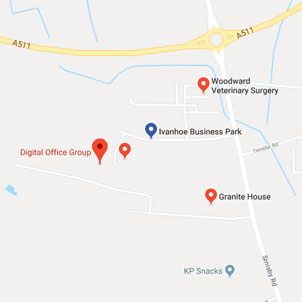
Phone : +44 (0)1530 414 409
Adress : Ivanhoe Business Park, Smisby Road
Postal code: LE65 2AB
City: Ashby-de-la-Zouch
Opening hours:
Monday to Friday 9:00 - 5:00
Set up your printer in just a few clicks — no stress, no fuss
No more missing drivers, complex files or endless installations. With Xerox® Smart Start, setting up your printer is as fast as it is intuitive.
Whether you’re a first-time user or an experienced administrator, Smart Start automatically detects your devices, selects the correct drivers, and guides you through each step — no technical expertise required.
In just a few minutes, you’re ready to print or scan, entirely on your own.
What Xerox® Smart Start offers you

A tool designed for non-technical users… and for experts too.
- Automatic installation of the appropriate drivers for your system (Windows 10 & 11).
- Intelligent detection of available printers on the network or via IP address.
- Quick or advanced mode depending on your technical level.
- TWAIN/WIA compatibility for scanning (via advanced installation).
- Native support for Microsoft Type 3, Type 4 and IPP systems.
- Simplified updates for existing drivers.
Who is it for? For what needs?

- Everyday user: not sure which driver to choose? Launch “Quick Install” and let Smart Start do the work for you.
- System administrator: choose the advanced installation, select your drivers and PDLs (PostScript, PCL6, PCLm), add scanning modules, and customise print queues.
- IT-free environment: Smart Start enables all employees to install their device independently.
How does it work?
Download and run the .exe file.
- Read and accept the terms of use.
- Automatic detection of printers on the local network, or enter IP/hostname manually.
- Choose your install mode:
- Quick Install → automated setup
- Advanced Install → manual selection of drivers and options
- Complete setup and print — with or without a test page.
With the Xerox® Quick Link app, one email is all it takes:
- The printer sends a personalised download link.
- The installer detects the device’s network address.
- You start installation without searching for the printer.
What are the main benefits?

- Simplicity for all: one tool for installing, updating and managing devices.
- Time-saving: saves time for users and IT teams — no need for manual setup. Everything is automated, guided and secure from the first launch.
- Security & control: privilege elevation only when needed (with admin badge via Windows UAC).
- Advanced options for professionals:
- PDL selection: PostScript, PCL6, PCLm
- Choice of Microsoft Type 3, Type 4 or IPP
- Add-on tools: Xerox Print & Scan Experience, Desktop Print Experience
- Choice of scan driver installation
- Simplified updates: Smart Start detects your printers and suggests newer drivers when available.