


10 Jul EDR vs MDR: Which Cyber Security Solution Does Your Business Actually Need?
Cyber security products are often described using technical abbreviations that do little to help business owners make an informed decision. Two of the most common are EDR, meaning Endpoint Detection and Response, and MDR, meaning Managed Detection and Response.
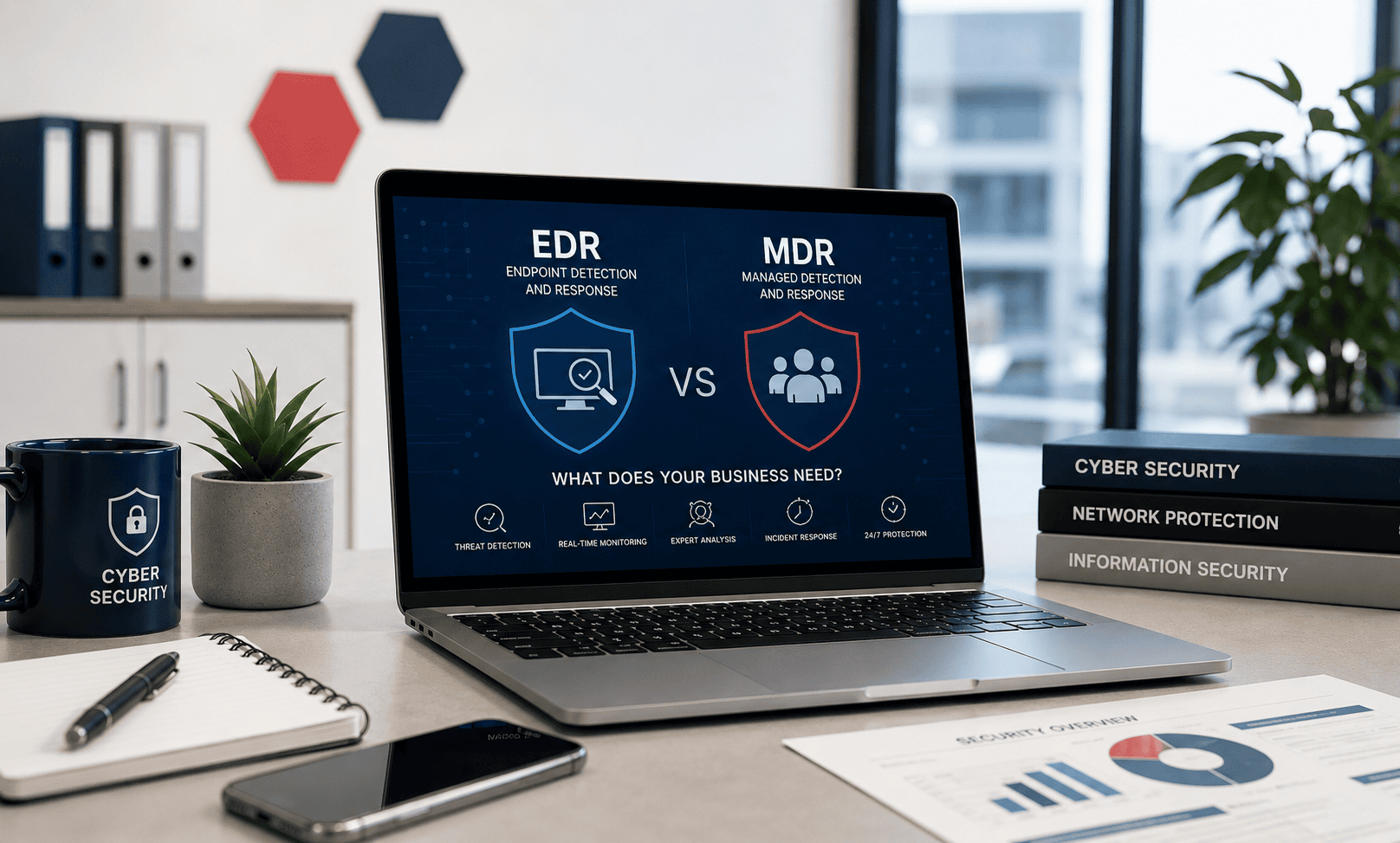
Although EDR and MDR are closely related, they are not the same thing. EDR is primarily the security technology installed on your endpoints, while MDR adds continuous human monitoring, investigation and response from a specialist security team.
Understanding the difference is important for businesses across Nottingham, Derby, Leicester and the wider East Midlands. Choosing the wrong level of protection could leave your organisation with powerful security software but nobody actively reviewing its alerts or responding when a serious threat is identified.
This guide explains EDR and MDR in straightforward terms, compares their key differences and helps you decide which approach may be most appropriate for your business.
EDR vs MDR at a Glance
- EDR is security software that monitors laptops, desktops and servers for suspicious behaviour.
- MDR combines security technology with a managed team that investigates and responds to threats.
- EDR can be suitable where a business already has skilled internal cyber security personnel.
- MDR is often more suitable for SMEs without an in-house Security Operations Centre.
- Neither service should be viewed as a replacement for secure email, backups, multi-factor authentication or staff awareness training.
Why Traditional Antivirus Is No Longer Enough
Traditional antivirus software was largely designed to identify known malicious files. It would compare files against an existing database of recognised threats and block anything that matched.
That protection remains useful, but modern cyber attacks are not always delivered through an obvious malicious file. An attacker may use a stolen password, exploit a legitimate application, run scripts through approved system tools or persuade an employee to grant access through a convincing phishing email.
This means a device can potentially be compromised without traditional antivirus identifying a familiar virus signature. Modern endpoint security must therefore look at behaviour as well as individual files.
EDR was developed to provide this deeper level of visibility. It monitors activity taking place across business devices and looks for patterns that could indicate malicious behaviour.
Businesses looking to review their broader protection can learn more about our Cyber Security Consultancy Services.
What Is Endpoint Detection and Response?
Endpoint Detection and Response is a cyber security technology that monitors activity across endpoints such as laptops, desktop computers and servers.
An endpoint is any supported device that connects to and interacts with your organisation's systems or data. For most SMEs, this primarily means Windows computers and servers, although some platforms may also protect mobile devices and other operating systems.
EDR looks for unusual actions rather than relying solely on a list of previously identified viruses. For example, it may detect a program unexpectedly attempting to encrypt large numbers of files, a user account launching suspicious commands or a device communicating with infrastructure associated with malicious activity.
What can an EDR platform do?
The exact capabilities vary between products, but a modern EDR solution may provide:
- Continuous monitoring of endpoint activity
- Behaviour-based threat detection
- Detection of suspicious processes and scripts
- Ransomware identification and containment
- Recording of activity leading up to a security alert
- Isolation of a compromised device from the network
- Termination or quarantine of malicious processes
- Investigation tools for security analysts
- Detailed alerts and incident information
EDR can offer considerably more insight than basic antivirus. However, the software still needs to be configured, monitored and managed properly.
This is one of the most important points for business owners to understand: receiving an EDR alert is not the same as having somebody fully investigate and resolve the incident.
What Is Managed Detection and Response?
Managed Detection and Response is a managed cyber security service. It normally combines endpoint security technology with access to a team of security professionals who monitor, review and investigate alerts on your behalf.
Rather than expecting your internal team to interpret every warning, the managed security provider carries out the initial investigation. Analysts assess whether the activity represents a genuine threat, determine the potential impact and take or recommend appropriate action.
Depending on the MDR service and the authority agreed with the customer, the response team may be able to isolate devices, contain suspicious activity and provide remediation guidance.
What may be included with MDR?
- Continuous monitoring by a managed security team
- Review and triage of endpoint alerts
- Investigation of suspicious activity
- Human-led threat analysis
- Containment of compromised endpoints
- Escalation of confirmed security incidents
- Guidance on remediation and recovery
- Incident reports and supporting evidence
- Threat hunting across protected devices
- Reduced noise from false-positive alerts
The key difference is the human element. MDR does not simply provide another piece of software; it provides people and processes to help manage the alerts generated by the security technology.
EDR vs MDR: What Is the Main Difference?
The simplest way to understand the difference is that EDR is the security technology, while MDR is the managed service surrounding the technology.
Buying an EDR platform is similar to installing an advanced alarm and monitoring system throughout your premises. It can identify suspicious activity and generate detailed warnings.
MDR is more like having trained security professionals actively review those warnings, decide whether they are genuine and help respond when something serious happens.
| Area | EDR | MDR |
|---|---|---|
| Main purpose | Detect and respond to suspicious activity on endpoints. | Provide managed monitoring, investigation and response using security technology and human analysts. |
| Human monitoring | Usually handled by your own IT or security team. | Provided by a managed security team as part of the service. |
| Alert investigation | Your organisation must review and interpret alerts. | Security analysts triage and investigate alerts for you. |
| Response | Tools may be available, but your team must decide how and when to use them. | Containment or guided response may be included, depending on the service agreement. |
| Best suited to | Organisations with skilled internal security resources. | Businesses needing additional expertise and continuous monitoring. |
| Cost | Typically lower than a fully managed service. | Typically higher because it includes analyst time, monitoring and response. |
Does Every Business Need EDR?
Any business that stores important information, relies on connected computers or uses cloud applications should consider stronger endpoint protection than traditional antivirus alone.
This applies to organisations of almost every size. Smaller companies may assume that they are unlikely to be targeted, but automated phishing campaigns, password attacks and malicious software do not only focus on large enterprises.
EDR may be particularly relevant where a business:
- Stores confidential customer, employee or financial information
- Uses laptops outside the main office
- Supports hybrid or remote workers
- Depends heavily on cloud applications and Microsoft 365
- Needs to demonstrate improved cyber security controls
- Has experienced phishing, malware or account compromise
- Works within a regulated or security-conscious supply chain
- Wants better protection against ransomware and fileless attacks
However, installing EDR without deciding who will review and act on alerts may create a gap between detection and response.
Does Every Business Need MDR?
Not every organisation necessarily requires the same level of managed security. The appropriate choice depends on factors such as the sensitivity of your data, contractual obligations, available internal expertise, operational hours and the potential impact of downtime.
MDR is particularly valuable for businesses that do not operate their own Security Operations Centre and cannot provide continuous in-house security monitoring.
Many East Midlands SMEs have an internal IT manager, an outsourced IT provider or a small technical team. Those resources may be excellent at supporting users and maintaining systems, but they may not have the capacity to monitor security alerts around the clock.
MDR can add a dedicated security layer without the organisation needing to recruit and operate a complete internal cyber security team.
Your business may benefit from MDR when:
- You do not have dedicated cyber security analysts internally
- Your team cannot monitor security alerts outside normal office hours
- You hold sensitive, confidential or regulated data
- A cyber incident would significantly disrupt services or production
- You need clearer incident investigation and reporting
- Your customers or supply chain expect stronger security controls
- You want a specialist team to distinguish genuine incidents from false alarms
- Your internal IT team needs additional security support
What Happens When EDR Detects a Threat?
The response depends on the product, its configuration and whether the service is actively managed.
An EDR platform may automatically block a malicious process or isolate a device when its confidence is high. In other situations, it may generate an alert that requires investigation before further action is taken.
A typical incident may follow these stages:
- Detection: The endpoint platform identifies behaviour that appears unusual or malicious.
- Alert generation: An alert is created with information about the device, user, process and activity.
- Investigation: The alert is reviewed to determine whether it is malicious, suspicious or legitimate.
- Containment: The device or process may be isolated to prevent the threat spreading.
- Remediation: Malicious files, accounts, processes or persistence mechanisms are removed or addressed.
- Recovery: The device and affected services are safely returned to normal operation.
- Review: The cause of the incident is examined and additional protection may be recommended.
With EDR alone, much of this process remains the responsibility of your own technical team. With MDR, the managed security provider helps carry out the investigation and response process.
```A Practical Example: Suspicious Activity Outside Office Hours
Imagine an employee at a Leicester-based business unknowingly enters their credentials into a convincing phishing page. The attacker later attempts to use the account and deploy malicious tools on a company laptop during the evening.
An EDR platform may identify unusual processes, suspicious command activity or attempts to disable security tools. It can generate a high-priority alert and may automatically block part of the activity.
However, someone still needs to review the alert, understand what has happened and decide whether other devices, accounts or data may be affected.
With an MDR service, a security analyst can investigate the alert, assess the evidence, contain the endpoint where permitted and escalate the incident with clear recommendations.
This is where MDR provides practical value. It helps bridge the gap between a security product identifying suspicious activity and a business taking an informed response.
EDR and MDR Are Only Part of Business Cyber Security
Endpoint security is important, but it should not be treated as the complete cyber security strategy.
A business can have excellent EDR while still being exposed through weak passwords, unprotected cloud accounts, missing backups, poor user permissions or employees who are not prepared to recognise phishing attempts.
A stronger cyber security strategy normally combines several layers of protection.
Multi-Factor Authentication
MFA adds an additional verification step when users sign in, helping protect accounts even when a password has been stolen.
Email Security
Email filtering and protection can help identify phishing messages, malicious links, impersonation attempts and unsafe attachments.
Secure Cloud Backup
Backups provide an independent route to restore important data following deletion, corruption, account compromise or ransomware.
Patch Management
Keeping operating systems and applications updated helps close known vulnerabilities before they can be exploited.
Device Management
Central management helps organisations enforce security settings, encryption and access controls across company devices.
Security Awareness
Staff training helps users recognise phishing, social engineering, suspicious requests and unsafe working practices.
Our wider Managed IT Services can bring these areas together through proactive support, monitoring and technology management.
Does EDR or MDR Protect Microsoft 365?
EDR primarily protects endpoints. It does not automatically provide complete protection for everything taking place inside Microsoft 365.
A cyber criminal may access an employee's mailbox using stolen credentials without placing malware on the employee's laptop. They may create forwarding rules, search historic conversations, impersonate the employee or use the account to send fraudulent payment requests.
Because this activity takes place within a cloud account, endpoint monitoring alone may not provide the full level of visibility required.
Microsoft 365 should therefore be protected through appropriate identity and cloud security controls, which may include:
- Multi-factor authentication
- Conditional Access policies
- Secure administrator accounts
- Sign-in and risk monitoring
- Appropriate Microsoft Defender services
- Email filtering and anti-impersonation protection
- Regular user and permission reviews
- Independent Microsoft 365 backup
Learn more about our Microsoft 365 services and how Digital Office Group helps businesses configure, support and secure their Microsoft environment.
Do EDR and MDR Replace Backups?
No. Security monitoring and data backup perform different roles, and a business should not rely on one as a substitute for the other.
EDR and MDR are intended to detect, contain and respond to suspicious activity. Backups are intended to provide recoverable copies of important systems and information.
Even strong security cannot guarantee that an incident, accidental deletion, system failure or data corruption will never occur. A reliable backup strategy gives the business another layer of resilience.
Backups should be appropriate for the systems being used, monitored regularly and tested to ensure information can be restored when required.
You can read more about planning for service disruption on our Disaster Recovery Services page.
EDR vs MDR for Different Types of East Midlands Business
The level of protection required will differ between organisations. A small professional services company in Nottingham may have different risks from a manufacturer in Derby, a charity in Leicester or a logistics operator with multiple depots.
Professional services
Accountants, solicitors, financial advisers, estate agents and consultants often hold significant amounts of confidential customer and financial information. Account compromise and fraudulent email requests can create serious operational and reputational consequences.
MDR may be valuable where the organisation wants specialist monitoring and a clearer response process but does not have its own cyber security team.
Manufacturing and engineering
Manufacturers across Derby, Leicester, Nottingham, Loughborough and surrounding industrial areas rely on connected systems, production schedules and supplier communications.
A security incident that interrupts access to systems can affect more than office productivity. It may disrupt production, stock management, design files, distribution or customer delivery commitments.
Charities and not-for-profit organisations
Charities often manage sensitive information while operating with limited internal IT resources. Staff, volunteers and trustees may also need access from different locations and devices.
Managed protection can provide valuable additional oversight while allowing the internal team to remain focused on service delivery.
Construction and property businesses
Construction companies, surveyors and property organisations frequently operate across multiple sites and rely on email, cloud documents and mobile devices.
A combination of endpoint protection, cloud security and managed monitoring can help protect users who work outside a central office.
Transport, haulage and logistics
Logistics organisations depend on communication, scheduling, customer information and operational platforms. Cyber disruption can interfere with deliveries, customer service and access to critical records.
Businesses operating around East Midlands Airport, Nottingham, Derby, Leicester, Burton upon Trent and the region's major transport routes may benefit from a managed approach that monitors distributed devices and locations.
Can an Existing IT Provider Manage EDR?
Many managed IT providers can deploy and administer EDR as part of an IT support agreement. This may include installing the software, checking device coverage, reviewing the management portal and responding to alerts during agreed support hours.
However, this should not automatically be assumed to be the same as a full MDR service
Before choosing a solution, ask your provider:
- Who reviews security alerts?
- During which hours are alerts actively monitored?
- Is monitoring carried out by IT engineers or dedicated security analysts?
- What happens when a high-severity threat is detected?
- Can the monitoring team isolate a compromised endpoint?
- Who is contacted during an out-of-hours incident?
- Are investigation and remediation included?
- Will you receive a written incident report?
- Does the service cover only endpoints or also cloud identities and email?
These questions help clarify whether you are purchasing software, a managed IT service or a dedicated managed security response.
What Should You Look for in an MDR Provider?
MDR services vary considerably, so it is important to understand exactly what is included.
- Clear monitoring hours: Confirm whether the service provides continuous monitoring or only operates during certain periods.
- Defined response actions: Understand what analysts can do when they identify a genuine threat.
- Appropriate escalation: Make sure the provider has current contacts and a clear route for urgent incidents.
- Experienced analysts: Check that alerts are reviewed by people with relevant security expertise.
- Useful reporting: Incident reports should explain what happened, what was done and what should happen next.
- Coverage visibility: You should know which devices are protected and identify any gaps.
- Integration with IT support: Security findings must be translated into practical actions across devices, accounts and systems.
- Transparent limitations: The provider should explain what the service does not monitor as clearly as what it does.
How Much Do EDR and MDR Cost?
EDR and MDR are commonly priced according to the number of protected endpoints or users. The exact cost depends on the selected technology, monitoring service, level of response and wider support package.
EDR-only protection is normally less expensive because it does not include the same level of ongoing analyst involvement. MDR costs more because a managed team is continuously reviewing, investigating and responding to alerts.
Price should not be considered in isolation. A lower-cost product that generates alerts nobody has time to review may not provide the practical protection the business expects.
A suitable proposal should explain:
- Which devices and users are covered
- Which security platform is included
- Whether monitoring is continuous
- What incident response actions are available
- Whether remediation support is included
- How reporting and escalation will work
- Whether the service integrates with your broader IT support
Questions to Ask Before Choosing EDR or MDR
Before making a decision, consider the following questions about your organisation:
- Who currently reviews security alerts?
- Does that person have the time and expertise to investigate them properly?
- What happens if a serious alert is generated overnight or at the weekend?
- How quickly could a compromised laptop be isolated?
- Would a cyber incident stop the organisation from serving customers?
- What sensitive information does the business hold?
- Are there customer, insurer or supply-chain security requirements?
- Is Microsoft 365 protected separately from endpoint devices?
- Are important cloud and business systems backed up?
- Does the business have a documented incident response process?
The answers will help determine whether EDR alone is sufficient or whether the additional monitoring and response provided by MDR is more appropriate.
Which Option Does Your Business Actually Need?
EDR may be suitable where an organisation already has knowledgeable internal security staff who can monitor alerts, investigate activity and respond promptly.
MDR is often the more practical option for small and medium-sized businesses that want stronger protection but do not have the resources to operate an internal Security Operations Centre.
For many organisations, the decision is therefore not simply about which product is technically more advanced. It is about who will take responsibility when the technology identifies something suspicious.
A simple way to decide
If your business has the people, expertise and capacity to investigate endpoint alerts consistently, EDR may provide an appropriate foundation.
If your business wants a specialist team to monitor, investigate and help respond to those alerts, MDR is likely to be the stronger option.
Cyber Security Support Across the East Midlands
Digital Office Group supports organisations throughout Nottinghamshire, Derbyshire, Leicestershire and the wider East Midlands.
Our team works with businesses in and around:
- Nottingham
- Derby
- Leicester
- Loughborough
- Ashby-de-la-Zouch
- Coalville
- Swadlincote
- Burton upon Trent
- Chesterfield
- Mansfield
- Melton Mowbray
- Market Harborough
- Lincoln
- Northampton
We can help assess your existing endpoint protection, Microsoft 365 security, backups, device management and managed IT arrangements to identify where improvements may be required.
Businesses needing day-to-day technical assistance can also explore our Business IT Support services.
Frequently Asked Questions About EDR and MDR
Is MDR better than EDR?
MDR is not simply a replacement product for EDR. MDR usually uses endpoint detection technology while adding monitoring, investigation and response from a managed security team. It can offer a more complete service for businesses without dedicated internal analysts.
Can a small business use MDR?
Yes. MDR can be particularly useful for smaller businesses because it provides access to specialist security resources without the cost and complexity of building an internal Security Operations Centre.
Does MDR stop every cyber attack?
No security service can guarantee that every attack will be prevented. MDR is designed to improve detection, investigation and response, reducing the time suspicious activity may remain unnoticed.
Is EDR the same as antivirus?
No. Antivirus traditionally focuses on identifying known malicious files. EDR provides broader behavioural monitoring, investigation data and response capabilities across protected endpoints.
Does MDR protect email?
Not automatically. Some MDR services focus primarily on endpoints. Email and Microsoft 365 protection may require separate security controls or an extended service that includes cloud identity monitoring.
Do we still need backups when using MDR?
Yes. MDR helps detect and respond to security threats, while backup provides recoverable copies of data. Both are important parts of business resilience.
Can MDR help with ransomware?
MDR can help identify suspicious behaviour associated with ransomware, investigate alerts and support rapid containment. It should be combined with secure backups, patching, access controls and user awareness.
How do I know whether our current provider offers EDR or MDR?
Ask who monitors the platform, when alerts are reviewed, what happens during an out-of-hours incident and whether active investigation and containment are included. The answers should make the distinction clear.
Not Sure Whether Your Business Needs EDR or MDR?
Digital Office Group can review your current cyber security arrangements and explain where EDR, MDR, Microsoft 365 security, cloud backup and managed IT support fit within your wider protection strategy.
We support businesses throughout Nottingham, Derby, Leicester and the wider East Midlands with straightforward advice and practical cyber security solutions tailored to their organisation.
Request a Cyber Security Review