


10 Aug A3 vs A4 Printers: Which Does Your Office Actually Need?
Choosing between an A3 and A4 office printer might sound straightforward, but it can have a surprisingly big impact on cost, productivity and how well your print setup fits the way your business actually works.
Many organisations automatically replace like-for-like equipment without asking whether they still need the same size of device. Others choose an A4 printer because it appears cheaper, only to find they regularly need larger documents, scanning capability, finishing options or higher print volumes.
So, A3 vs A4 printer: which does your office actually need?
What is the difference between an A3 and A4 printer?
The most obvious difference is paper size.
A4 is the standard office document size used for letters, contracts, invoices and general business paperwork. A3 is twice the area of A4 and is commonly used for larger spreadsheets, drawings, posters, plans, booklets and presentation material.
However, the difference between A3 and A4 office printers goes much further than paper size.
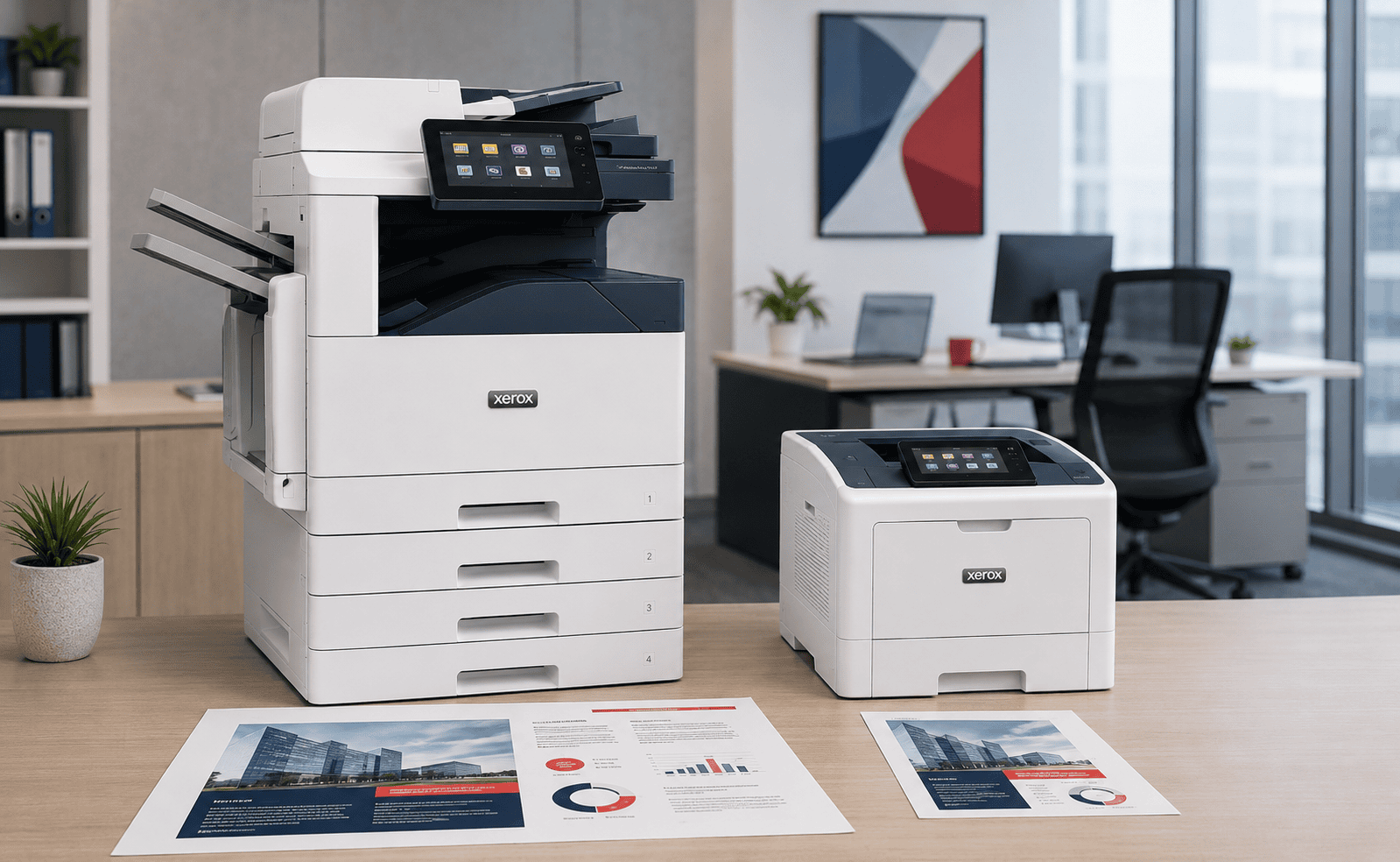
A3 multifunction printers are often designed for shared workgroups and can provide additional paper trays, higher print volumes, faster scanning, larger touchscreens and a wider range of finishing features.
A4 multifunction devices tend to be more compact and are often ideal for smaller teams, individual departments or locations where space is limited.
If you are currently comparing equipment, you can browse our range of A3 and A4 multifunction printers to see the different types of devices available for modern office environments.
A4 office printers
- Smaller physical footprint
- Ideal for everyday office documents
- Often lower initial hardware cost
- Good for individual teams or departments
- Can still offer print, scan and copy functionality
A3 multifunction printers
- Print and copy A3 and A4 documents
- Usually designed for larger shared workgroups
- More paper-handling flexibility
- More finishing and scanning options
- Often better suited to heavier workloads
When is an A4 printer the better choice?
An A4 printer can be an excellent choice when the majority of your printing is standard business documentation and there is little or no requirement for larger media.
Small offices and departments
For a small team printing modest volumes, a large floor-standing multifunction printer may simply be unnecessary.
A compact A4 colour multifunction printer can provide printing, scanning and copying without taking up valuable floor space.
Reception areas and satellite offices
A4 devices can work particularly well in reception areas, meeting spaces, home offices and smaller branch locations.
They can also be useful as part of a larger managed print fleet, allowing businesses to place smaller devices close to teams that do not need access to an A3 machine.
Businesses with almost no A3 requirement
If your organisation only prints an A3 document once or twice a year, buying an A3 machine solely for those occasions may not make financial sense.
It may be more cost-effective to use an A4 device and handle the occasional A3 requirement elsewhere.
When should you choose an A3 multifunction printer?
A3 multifunction printers remain the backbone of many offices because they combine flexibility, capacity and a broad range of document-handling features.
You regularly print larger documents
Architects, construction companies, schools, accountants, manufacturers, estate agents and professional services firms can all have genuine requirements for A3 output.
Examples include:
- Plans and technical drawings
- Large spreadsheets
- Financial reports
- Marketing materials
- Posters and notices
- Training materials
- Booklets
You need to scan A3 documents
One requirement that is often overlooked is scanning.
Even if you do not print A3 very often, your organisation may regularly receive larger documents that need to be scanned, copied or archived.
An A3 multifunction device can make this much easier than trying to split large originals across multiple scans.
Your office prints higher volumes
Larger multifunction printers are generally designed around shared office workloads and can offer greater paper capacity and a more robust duty cycle.
This can be useful for offices where multiple departments rely on one central device throughout the working day.
You need finishing options
Businesses producing reports, proposals, training packs or customer documents may benefit from finishing options such as:
- Automatic stapling
- Booklet making
- Folding
- Hole punching
- Multiple output trays
These options are more commonly associated with larger A3 multifunction devices.
A3 vs A4 printer comparison
| Requirement | A4 Printer | A3 Multifunction Printer |
|---|---|---|
| Standard office documents | Excellent | Excellent |
| A3 printing | No | Yes |
| A3 scanning | Usually no | Yes |
| Small office footprint | Excellent | Larger device required |
| Higher print volumes | Model dependent | Often better suited |
| Advanced finishing | Limited | More options available |
| Multiple paper trays | Usually more limited | Greater flexibility |
| Shared departmental use | Good for smaller groups | Ideal for larger workgroups |
Is an A4 printer always cheaper?
Not necessarily.
A smaller A4 device may have a lower purchase or rental price, but the real cost of office printing should be measured over the life of the device rather than simply comparing hardware prices.
Businesses should consider:
- Black and white cost per page
- Colour cost per page
- Expected monthly print volume
- Toner and consumable yield
- Service and maintenance
- Device lifespan
- Downtime
- Paper capacity
- Additional devices required elsewhere
For example, replacing one well-positioned A3 multifunction printer with several smaller A4 printers may reduce the cost of each individual machine while increasing the total number of devices, consumables and support requirements across the office.
Do you actually need more than one printer?
The A3 vs A4 conversation is often part of a wider question: how many printers does your office really need?
Many businesses inherit their printer fleet over several years.
A department requests another printer, an old device is never removed, or employees are given desktop printers because the main multifunction device is inconveniently located.
Eventually the organisation can end up supporting more printers than it genuinely needs.
A proper print assessment should look at:
- How many employees use each device
- Monthly print volumes
- Colour vs black and white usage
- A3 usage
- Scanning requirements
- Office layout
- Departments handling sensitive documents
- Existing printer running costs
Could a mix of A3 and A4 printers be better?
For many businesses, yes.
The best print fleet is rarely based on putting the same printer everywhere.
A larger office might have one or two strategically positioned A3 multifunction printers for high-volume printing, scanning and larger documents, combined with smaller A4 devices in departments where employees mainly print standard documents.
This can reduce unnecessary walking while avoiding an office filled with expensive oversized equipment.
What about colour vs black and white?
Paper size is only one part of selecting the correct office printer.
You should also consider whether each team genuinely needs colour printing.
Some businesses can reduce costs by using a combination of colour multifunction printers and lower-cost mono devices depending on departmental requirements.
Print management software can also help businesses control when colour is used and monitor print activity across multiple devices.
Digital Office Group also provides print management software for organisations that want better visibility and control across their print fleet.
What about new vs refurbished printers?
Choosing the correct device does not necessarily mean buying brand-new equipment.
For many organisations, a professionally refurbished multifunction printer can offer excellent value, particularly when it is covered by the same level of service and maintenance support.
The most important factors are the condition of the device, its suitability for your print volumes, running costs and the quality of the support behind it.
Questions to ask before choosing A3 or A4
Before replacing an office printer, ask the following questions:
- How often do we genuinely print A3?
- Do we need to scan A3 originals?
- How many people will use the device?
- What is our actual monthly print volume?
- How much colour printing do we produce?
- Do we need stapling or booklet finishing?
- How many paper trays do we need?
- Could several existing devices be consolidated?
- Where will the printer physically sit?
- What is the total cost per page?
A3 vs A4 printer FAQs
Can an A3 printer also print A4?
Yes. A3 office multifunction printers normally support A4 as well as A3 and a range of other paper sizes, making them highly flexible shared office devices.
Is A3 exactly twice the size of A4?
A3 has twice the area of A4 and is commonly used for documents that require more space, including spreadsheets, diagrams and presentation material.
Can an A4 multifunction printer scan A3?
Most standard A4 multifunction printers are designed around A4 originals, so businesses that regularly need to scan A3 documents should check the scanner specification carefully or consider an A3 multifunction device.
Do small businesses need A3 printers?
Not always. If the organisation mainly handles A4 documents, an A4 multifunction printer may provide everything required while taking up less space.
Are A3 printers more expensive to run?
Not automatically. Running cost depends on the specific machine, print volume, contract structure, consumables and cost per page. A larger device can sometimes be more economical for a high-volume office than repeatedly using smaller desktop printers.
How do I know which office printer is best for my business?
The best approach is to review current print volumes, document sizes, scanning requirements, user numbers and existing costs before selecting equipment.
Not sure whether your office needs A3 or A4?
Digital Office Group can review your existing printers, print volumes and document requirements and recommend the right mix of devices for your organisation. We support businesses with A3 and A4 multifunction printers, managed print services and ongoing service support.
View Our Multifunction Printers