


14 Aug A0 vs A1 Plotters for Architects & Contractors
Architects, engineers and construction teams regularly work with technical drawings that are simply too large for a conventional A4 or A3 office printer. Site plans, CAD drawings, elevations, construction drawings and engineering schematics often need to be produced at A1 or A0 size, making a professional wide-format printer or plotter an important part of the technical drawing workflow.
But what is the difference between an A0 plotter and an A1 plotter, and which wide-format printer is right for an architect, contractor, surveyor or engineering business?
The answer depends on the largest drawings you need to produce, your typical print volumes, available office space, the type of CAD work you handle and whether your requirements may increase as your business takes on larger projects.
Digital Office Group supplies professional CAD and GIS wide-format printers for architectural, construction, engineering and technical drawing environments.
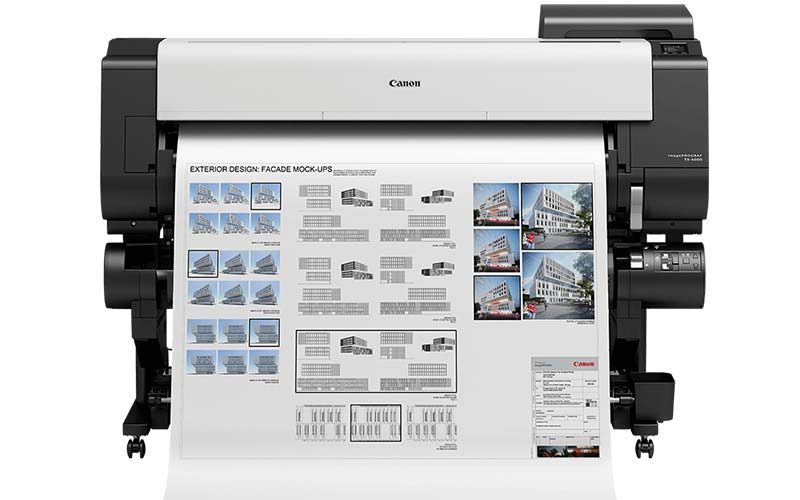
An A1 plotter is generally based around 24-inch wide media and is suitable for A1, A2 and smaller technical drawings. An A0 plotter is normally around 36 inches wide and provides the additional ability to print full-size A0 drawings as well as A1 and smaller documents. If you regularly receive or produce A0 construction plans, the larger machine provides considerably more flexibility.
What Is a Plotter?
A plotter is a type of wide-format printer designed to produce documents substantially larger than those created on a conventional office printer.
The term plotter is still widely used throughout architecture, construction, surveying and engineering, although most modern machines are technically sophisticated wide-format inkjet printers.
Typical applications include:
- Architectural drawings
- Construction plans
- CAD drawings
- Engineering drawings
- Site plans
- Building elevations
- Planning applications
- Mechanical and electrical drawings
- Survey drawings
- Maps and GIS output
- Technical diagrams
- Project presentation graphics
For most organisations researching a new CAD plotter or wide-format printer , one of the first decisions is the maximum paper width required.
What Size Is A1?
An A1 sheet measures 594mm × 841mm.
A1 is twice the area of A2 and half the area of A0. It is widely used for architectural plans, construction drawings, engineering documents and technical drawings because it offers substantial drawing space while remaining relatively manageable on desks and construction sites.
A1 printing is commonly associated with a 24-inch plotter.
What Size Is A0?
An A0 sheet measures 841mm × 1189mm.
A0 is twice the area of A1 and is the largest standard ISO A-series sheet size.
A0 drawings are frequently used for large architectural plans, detailed construction drawings, site plans, engineering schematics and projects where reducing the drawing would make important information more difficult to read.
A0 capability is commonly associated with a 36-inch wide-format plotter.
A0 vs A1 Plotters: What Is the Difference?
The biggest difference between an A0 and A1 plotter is the maximum width of media the machine can handle.
A1 Plotter
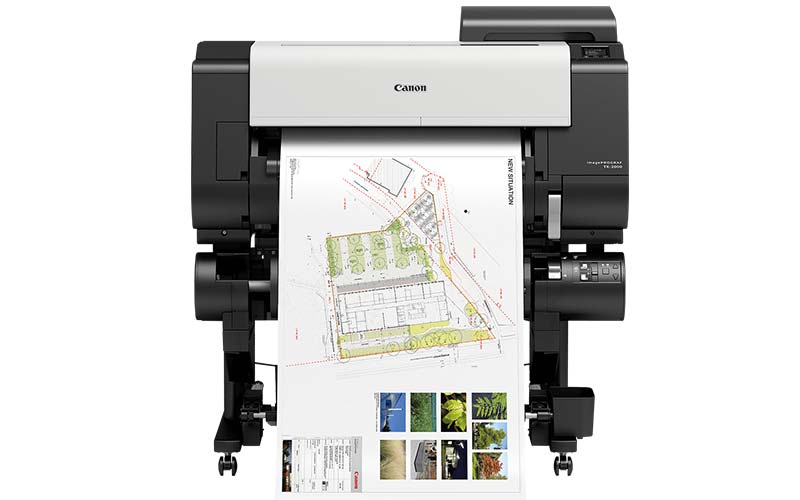
Typically 24-inch wide formatWell suited to businesses primarily producing:
- A1 architectural drawings
- A2 technical drawings
- CAD plans
- Smaller site plans
- Engineering drawings
- Presentation material
A0 Plotter
Typically 36-inch wide formatProvides greater flexibility for:
- Full-size A0 drawings
- A1 architectural plans
- Large construction drawings
- Detailed site plans
- Engineering schematics
- Maps and GIS output
Should Architects Choose an A0 or A1 Plotter?
For an architectural practice, choosing between an A0 plotter and an A1 plotter normally comes down to the largest technical drawings the practice regularly produces, receives or issues to contractors.
A smaller architectural practice working predominantly on residential extensions, housing developments and smaller commercial projects may find that an A1 24-inch plotter provides everything it needs.
Practices working on larger commercial developments, industrial buildings, education projects, healthcare developments or complex site plans may benefit from an A0 36-inch plotter.
The advantage of choosing A0 capability is flexibility. Even if most drawings are produced at A1, a 36-inch wide-format printer allows the practice to produce full-size A0 plans internally whenever a particular project requires them.
You can explore our CAD and GIS printers for architects, engineers and construction businesses to compare suitable wide-format options.
A0 vs A1 Plotters for Construction Companies and Contractors
Construction businesses can have very different wide-format printing requirements from architectural practices.
Plans may need to be printed:
- At company head office
- Inside estimating departments
- In project offices
- On construction sites
- Inside temporary site cabins
- For subcontractors
- During project meetings
An A1 plotter can be an excellent option for a construction site office, particularly where physical space is limited and the majority of drawings are supplied at A1.
A larger contractor may instead choose an A0 plotter for head office or major project locations while using smaller A1 machines across individual construction sites.
Do Architectural Drawings Need to Be Printed at Full Size?
Not every technical drawing necessarily needs to be printed at its original size. An A0 drawing can often be reduced to A1 for general reference.
However, reducing the sheet also reduces everything contained within it, including:
- Dimensions
- Annotations
- Symbols
- Legends
- Notes
- Detail drawings
- Line weights
On a busy construction project, maintaining clarity can be far more important than simply saving paper.
Where plans contain extensive annotations, service routes or detailed construction information, printing at the intended drawing size can make them significantly easier for teams to interpret.
A0 vs A1 for CAD Printing
Both A0 and A1 wide-format printers can be suitable for professional CAD printing.
However, maximum paper size should not be the only specification considered when choosing a CAD plotter.
Line Accuracy
Architectural and engineering drawings often contain extremely fine lines. These need to remain clearly defined so different elements of the drawing can be interpreted accurately.
Small Text Clarity
Dimensions, annotations, drawing numbers and technical notes can be relatively small. Good print quality helps this information remain readable.
Print Speed
A practice printing several drawings per week has very different requirements from an architectural or engineering department producing complete drawing packs every day.
Network Printing
In a modern drawing office, several architects, CAD technicians, estimators or engineers may need to send work to the same wide-format device.
Media Handling
Good roll handling can significantly improve workflow when producing multiple technical drawings in different sizes.
You can compare suitable CAD and GIS printers here .
24-Inch vs 36-Inch Plotters
When researching architectural plotters online, businesses will frequently see printer sizes described in inches instead of A-series paper sizes.
| Plotter width | Typical application | Common users |
|---|---|---|
| 24-inch | A1 and smaller CAD drawings | Architects, small practices, site offices, contractors, surveyors |
| 36-inch | A0, A1 and smaller technical drawings | Architectural practices, larger contractors, engineering departments |
| 44-inch+ | Larger technical, graphics and specialist wide-format applications | Design studios, professional print, graphics and production environments |
For most organisations primarily printing architectural and construction drawings, the main choice is normally between 24-inch A1 and 36-inch A0 capability.
Is an A0 Plotter Much Bigger Than an A1 Plotter?
Generally, an A0-capable plotter requires a larger physical footprint because it must accommodate wider media.
This can be particularly important in:
- Small architectural studios
- Construction site cabins
- Temporary project offices
- Smaller engineering departments
- Home-based architectural offices
When planning the installation, consider more than the width of the printer itself.
Users also need space to load media rolls, collect drawings, access ink and maintenance components and comfortably operate the machine.
Roll Paper vs Cut Sheets for Architectural Printing
Professional CAD and architectural plotters commonly use paper supplied on rolls.
Roll-fed printing makes it easier to produce different drawing sizes without manually loading an individual sheet before every job.
Roll media is particularly useful for:
- Architectural drawing sets
- CAD drawings
- Construction plans
- Long technical drawings
- Multiple sequential drawings
- Custom-length plans
Some wide-format printers can also accept cut sheets where individual sheets or specialist media are required.
Single-Roll vs Dual-Roll Plotters
Higher-volume architectural and engineering environments should also consider how many media rolls the printer can hold.
A dual-roll plotter can allow two different media rolls to remain loaded simultaneously.
This might be used for:
- Different media widths
- Different paper weights
- Standard paper and specialist media
- Different types of technical output
For smaller architectural practices or construction site offices, single-roll operation may be perfectly adequate.
For busy technical drawing departments, reducing the amount of manual roll changing can improve productivity.
How Important Is Plotter Print Speed?
Print speed matters far more in some businesses than others.
If you only produce several architectural drawings per week, there may be little value in choosing a machine purely because it is a few seconds faster.
A busy architectural, engineering or estimating department might have to print an entire project drawing pack immediately before a meeting, tender submission or site visit.
In these environments, consider:
- Time to produce an A1 drawing
- Time to produce an A0 drawing
- Processing speed for complex CAD files
- How quickly consecutive jobs can be produced
- Ease of changing media
- Print queue management
Plotter Ink Costs and Running Costs
The purchase price of an A0 or A1 plotter is only one part of the overall cost of ownership.
Businesses should also consider:
- Ink cartridges or ink tanks
- Replacement printheads
- Maintenance cartridges
- Paper rolls
- Servicing
- Engineer support
- Expected print volumes
A lower-cost plotter may appear attractive initially but become less economical if a busy drawing office is constantly replacing small-capacity ink cartridges.
When comparing wide-format CAD printers , consider expected monthly use as well as the initial purchase price.
Do Architects and Contractors Need a Colour Plotter?
Traditional technical drawings are often associated with black lines on white paper, but colour is increasingly useful within modern construction and architectural workflows.
Colour may be used to differentiate:
- Mechanical services
- Electrical systems
- Drainage
- Utilities
- Site boundaries
- Construction phases
- Fire plans
- Landscaping
- Project mark-ups
A colour plotter can also be used for presentation boards, project graphics, site notices and internal posters when required.
When Is an A1 Plotter the Better Choice?
An A1 or 24-inch plotter can be an excellent solution where:
- A1 is the largest regular drawing size
- Office or site-cabin space is limited
- Print volumes are moderate
- A0 requirements are extremely rare
- The device is primarily being used for everyday CAD output
- A compact wide-format solution is preferred
This makes A1 devices particularly attractive for smaller architectural practices, surveying businesses and construction project offices.
When Is an A0 Plotter the Better Choice?
An A0 or 36-inch plotter becomes more attractive when:
- You regularly receive A0 drawings
- Large site plans need to remain at full size
- You work on large commercial developments
- You need flexibility between A0 and A1
- Outsourcing A0 drawings has become inconvenient
- Your organisation expects its requirements to grow
The main advantage is that an A0 machine can provide additional capacity without preventing users from producing smaller drawings.
Can a Plotter Be Used for More Than CAD Drawings?
Yes. A modern colour wide-format printer can often provide considerably more value than simply producing technical plans.
Depending on the model and media being used, businesses may also produce:
- Site signage
- Health and safety notices
- Project posters
- Presentation boards
- Large maps
- Internal communications
- Charts and project timelines
- Marketing graphics
This can be particularly useful for construction businesses that currently outsource posters and temporary site signage alongside their architectural printing.
Do You Need a Plotter or a Wide-Format Multifunction Printer?
Another important consideration is whether your organisation only needs to print drawings or whether users also need to scan and copy existing plans.
Architectural practices, engineering businesses, contractors and organisations holding historic drawing archives may regularly need to digitise large-format documents.
A wide-format multifunction system can potentially combine:
- Large-format printing
- Plan scanning
- Drawing copying
- Digital archiving workflows
- Marked-up drawing capture
If large-format scanning is part of your workflow, mention this when discussing your requirements because it can significantly influence which solution is most appropriate.
A0 vs A1 Plotter: Which Should You Choose?
There is no single plotter size that is right for every architect, contractor or engineering business.
For smaller practices and project offices, a 24-inch A1 plotter can offer an excellent balance between physical size, capability and running costs.
For larger architectural practices, construction businesses, engineering departments and organisations regularly handling full-size plans, a 36-inch A0 plotter offers greater flexibility.
A useful approach is to review the largest drawings your business has needed during the previous year rather than basing the decision solely on the work currently sitting in your print queue.
If A0 drawings appear regularly, even if they are not your highest-volume size, it may be worth retaining the ability to print them in-house.
Questions to Ask Before Buying an A0 or A1 Plotter
Before choosing your next wide-format printer, consider:
- What is the largest drawing we regularly receive?
- Do we genuinely need full-size A0 output?
- How many drawings do we print every week or month?
- Do we need colour?
- Do we need to scan existing plans as well as print?
- Will the plotter be installed at head office or on site?
- How much space is available?
- Do we need single-roll or dual-roll media handling?
- What will ink and media cost?
- Who will provide technical support?
- How frequently do we currently outsource large-format printing?
- Could our wide-format requirements grow over the next few years?
Answering these questions before choosing the hardware can prevent both under-specifying and unnecessarily over-specifying the device.
A0 and A1 Plotter FAQs
Can an A0 plotter print A1?
Yes. An A0-capable wide-format printer can generally produce smaller drawing sizes including A1. This is one of the main advantages of choosing the larger format where businesses require flexibility.
Can an A1 plotter print A0?
An A1-only plotter cannot produce a complete full-width A0 sheet. An A0 drawing would need to be reduced, tiled across several sheets or printed on a larger wide-format device.
What size plotter do architects normally use?
Both A1 24-inch and A0 36-inch plotters are widely suited to architectural applications. The correct choice depends on the largest drawings the practice needs to produce and the amount of available space.
What size plotter is best for a construction site?
A compact A1 plotter can work well in construction site cabins where space is limited and most plans are distributed at A1. Larger projects may require an A0-capable plotter where full-size plans are regularly needed.
What is the difference between a 24-inch and 36-inch plotter?
A 24-inch plotter is commonly associated with A1 printing, while a 36-inch machine provides the width required for A0 printing as well as smaller drawing sizes.
Is a plotter the same as a wide-format printer?
The term plotter is still commonly used for printers producing CAD, architectural and engineering drawings. Most modern plotters are technically wide-format inkjet printers rather than traditional pen plotters.