


20 Jul Who Owns Your Microsoft 365 Tenant? A Guide for Businesses
Who owns your Microsoft 365 tenant: your business, Microsoft or your IT support provider?
It is an important question, particularly when changing IT providers, reviewing your cyber security, recovering access to an administrator account or preparing for a business continuity incident.
In most normal Microsoft 365 arrangements, the tenant represents the customer organisation and contains its users, email accounts, files, settings and security policies. An IT provider may be authorised to administer the environment, supply licences and provide technical support, but administrative access should not be confused with ownership of your business data or identity.
Every organisation should understand how its Microsoft 365 environment has been configured, who holds administrator access and what would happen if its existing IT provider became unavailable.
Digital Office Group helps organisations manage, secure and support their Microsoft cloud environments through our Microsoft 365 services and wider managed IT services.
Concerned About Your Microsoft 365 Access?
Digital Office Group can review your Microsoft 365 tenant, administrator accounts, partner access, licensing and security configuration.
What Is a Microsoft 365 Tenant?
A Microsoft 365 tenant is the dedicated cloud environment created for an organisation when it begins using Microsoft cloud services.
The tenant can contain and control:
- Business email accounts
- Microsoft Exchange Online
- Microsoft Teams
- SharePoint sites
- OneDrive accounts and files
- Microsoft 365 applications and licences
- Microsoft Entra ID user identities
- Security policies
- Multi-factor authentication settings
- Conditional Access policies
- Devices managed through Microsoft Intune
- Partner and administrator permissions
Your tenant is therefore much more than a licence portal. It is a central part of your organisation’s identity, communications, data storage and security.
Who Owns the Microsoft 365 Tenant?
For most businesses, the Microsoft 365 tenant should belong to and represent the customer organisation using it.
Your IT provider may create the tenant, administer it, purchase licences through Microsoft’s Cloud Solution Provider programme and manage users on your behalf. However, this does not ordinarily mean the provider should treat the tenant or the organisation’s data as its own property.
The distinction is important:
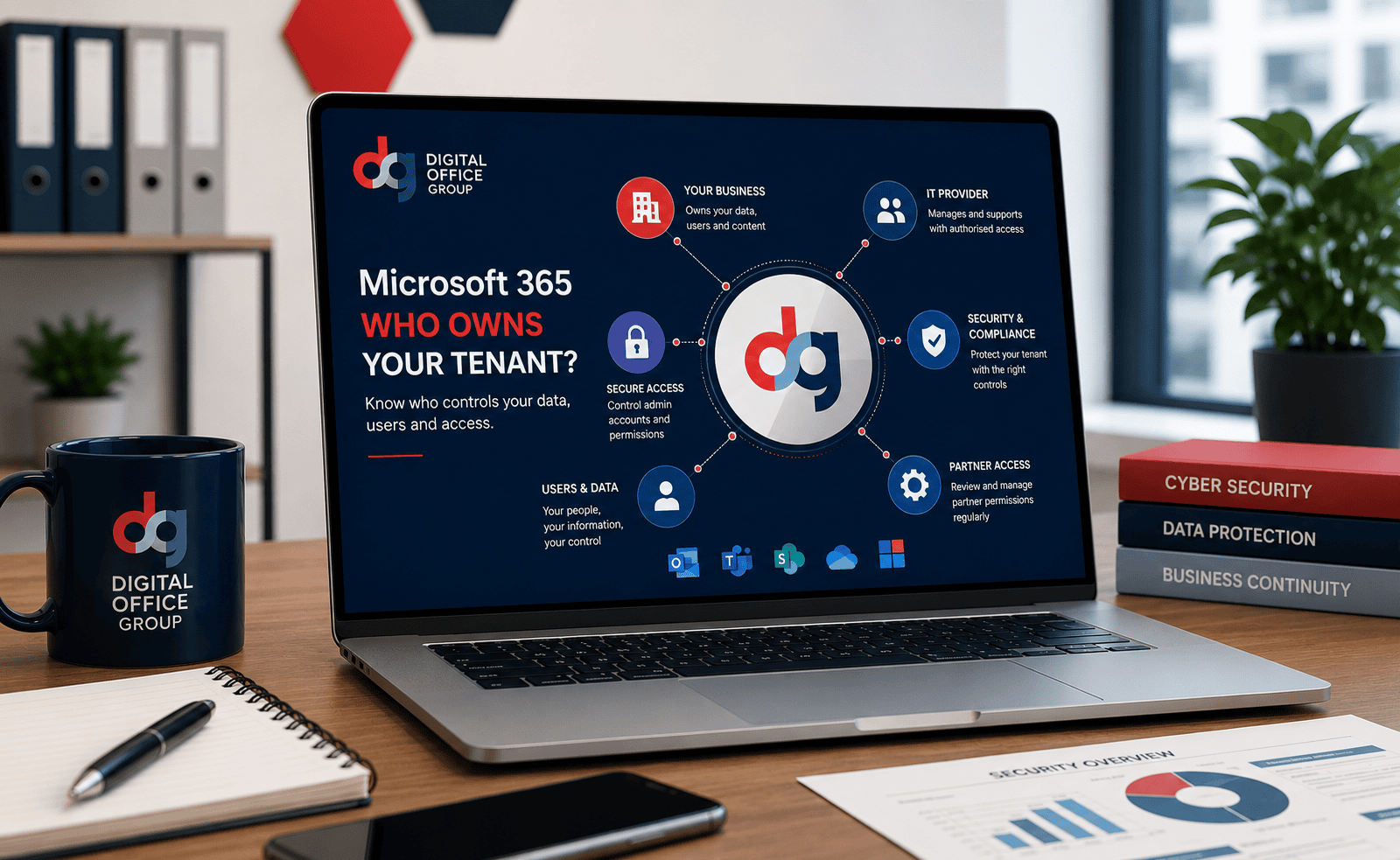
- Your business is the customer organisation represented by the tenant.
- Microsoft operates the Microsoft 365 cloud platform.
- Your IT provider may have delegated permissions to manage services on your behalf.
The precise commercial and legal position can depend on your contracts, licensing model and how the environment was originally configured. Businesses should therefore retain copies of their agreements and make sure their own organisation is correctly recorded within Microsoft 365.
Does Your IT Provider Own Your Microsoft 365 Tenant?
An IT provider may have extensive access to a Microsoft 365 tenant without owning the customer’s business data or cloud identity.
IT providers commonly need permissions to:
- Create and remove user accounts
- Reset passwords
- Assign Microsoft 365 licences
- Manage Exchange Online
- Configure security settings
- Investigate email problems
- Support Teams, SharePoint and OneDrive
- Respond to security incidents
These permissions allow the provider to deliver support. They should be properly authorised, documented and restricted to the level needed to perform the provider’s responsibilities.
A responsible managed IT provider should be able to explain what access it has, why it requires that access and how the customer can regain full control during a transition.
What Is a Microsoft 365 Global Administrator?
A Global Administrator is one of the most powerful roles in a Microsoft 365 environment.
A Global Administrator can perform important actions across the tenant, including managing users, assigning roles, changing security settings and controlling access to Microsoft services.
Because of this level of authority, businesses should know:
- Who currently holds Global Administrator access
- Whether the accounts belong to the business or an external provider
- Whether emergency administrator accounts exist
- Whether administrator accounts are protected with MFA
- Whether administrator activity is monitored
- Whether unnecessary permissions have been removed
Your day-to-day user account should not normally be used as a Global Administrator. Administrative accounts should be separate, secured and used only when elevated access is required.
Should Your Business Have Its Own Global Administrator Account?
A business should not be entirely dependent on a single external individual or supplier for access to its Microsoft 365 environment.
Your organisation should have an agreed method for recovering administrative control if your IT provider becomes unavailable. This may involve one or more protected administrator accounts under the control of authorised senior personnel.
That does not mean directors should use administrator accounts for daily work. Instead, emergency access should be:
- Securely documented
- Protected with strong authentication
- Restricted to authorised personnel
- Stored through an appropriate secure process
- Tested periodically
- Monitored for unexpected use
The right arrangement will depend on the organisation’s size, internal technical capability, regulatory responsibilities and cyber security policies.
How Can You Check Who Has Access to Your Tenant?
An authorised administrator can review role assignments, user accounts and partner relationships within the Microsoft 365 and Microsoft Entra administration portals.
A suitable access review should identify:
- All Global Administrators
- Other privileged administrator roles
- External or guest administrator accounts
- Microsoft partner relationships
- Delegated partner permissions
- Inactive administrator accounts
- Accounts without suitable MFA protection
- Legacy accounts belonging to previous suppliers
This should form part of a wider Microsoft 365 security review rather than being treated as a one-off exercise.
What Are Microsoft Partner Relationships?
Businesses often purchase Microsoft licences and support through a Microsoft partner or Cloud Solution Provider.
A partner relationship can allow an IT provider to supply licences, provide support and, where authorised, administer parts of the customer’s Microsoft 365 environment.
Microsoft uses delegated administrative permissions to provide partners with access. Depending on the arrangement, this may involve granular permissions assigned for specific administrative tasks rather than unrestricted access across the entire tenant.
A partner relationship should not automatically mean that the partner controls every part of the environment indefinitely. Organisations should regularly review which partners are connected and what permissions they hold.
Can You Remove an IT Provider’s Microsoft 365 Access?
An appropriately authorised administrator can normally review and remove partner permissions and individual administrator accounts.
However, this must be managed carefully. Removing access before a replacement support arrangement is ready could affect technical support, licence management, security monitoring or the ability to respond to an incident.
Before removing an existing provider, your business should understand:
- How Microsoft 365 licences are purchased
- Who provides technical support
- Which administrator accounts are required
- Whether the provider manages Azure services
- Whether backup services depend on the provider
- Whether email security systems require reconfiguration
- Whether devices are managed through Intune
- Whether third-party applications use the provider’s credentials
A planned handover is usually safer than suddenly removing every account and permission.
Can Your IT Provider Lock You Out of Microsoft 365?
A business can experience a serious access problem if its IT provider controls the only working Global Administrator account or if no one within the organisation has a documented recovery route.
This does not necessarily mean the provider legally owns the tenant. It means the tenant may have been configured in a way that leaves the customer operationally dependent on that provider.
Potential warning signs include:
- Your business does not know its tenant name
- No one knows who the Global Administrators are
- The provider refuses to discuss administrator access
- All privileged accounts use the provider’s email domain
- Your business has no emergency access process
- You cannot access Microsoft billing or licence information
- Your domain and DNS access are also controlled by the supplier
- There is no documented IT handover information
If your organisation is already locked out, the recovery route will depend on what access remains available. You may need assistance from an authorised administrator, your existing Microsoft partner or Microsoft support.
What Happens If Your IT Provider Goes Out of Business?
Your Microsoft 365 services may continue operating even if your IT provider closes, particularly where the underlying Microsoft subscriptions remain active.
However, immediate risks may include:
- No access to technical support
- No one available to reset passwords
- Uncertainty over licence renewals
- Loss of security monitoring
- Backup alerts being missed
- Unmanaged administrator accounts
- Difficulty changing Microsoft partner
- Unknown domain or DNS credentials
The situation is much easier to manage when the business already has its own protected administrative access, accurate documentation and a clear record of its Microsoft subscriptions.
What Happens to Your Microsoft 365 Licences?
Microsoft 365 licences may be purchased directly from Microsoft or supplied through a Microsoft partner.
Changing IT provider does not normally require a completely new Microsoft 365 tenant. In many cases, the existing tenant can remain in place while licensing and support responsibility are transferred to a new provider.
The process must be planned around:
- Subscription renewal dates
- Monthly or annual commitments
- Licence quantities
- Current Microsoft partner relationships
- Billing arrangements
- Required security and compliance features
Digital Office Group can review your current licensing and help identify whether your organisation is using the appropriate Microsoft 365 plans. Learn more about our Microsoft 365 licensing and support services.
What Happens to Your Business Email?
Your email accounts are usually hosted within Exchange Online as part of the Microsoft 365 tenant.
Changing IT provider does not usually mean that every mailbox must be migrated to a new tenant. A properly managed change of provider can allow the organisation to keep:
- Existing email addresses
- Mailbox contents
- Shared mailboxes
- Calendars
- Contacts
- Distribution groups
- Existing Microsoft 365 identities
There can still be risks if domain access, DNS records, email security or administrator credentials are not available. These areas should therefore be checked before the previous provider’s access is removed.
What Happens to SharePoint, Teams and OneDrive?
SharePoint, Teams and OneDrive content is generally held within or connected to the organisation’s Microsoft 365 tenant.
Changing support provider should not automatically delete this information. However, the new provider needs to understand the existing structure, permissions, sharing policies, retention configuration and backup arrangements.
The review should include:
- SharePoint sites and document libraries
- Microsoft Teams and associated groups
- OneDrive accounts
- External sharing permissions
- Guest users
- Data retention policies
- Backup coverage
- Departed-user data
Does Microsoft 365 Include a Full Backup?
Microsoft provides a resilient cloud platform, but businesses should still understand their responsibilities for data retention, recovery and protection.
Accidental deletion, malicious activity, account compromise, retention gaps and internal user actions can all create data-loss risks. Many organisations therefore use a separate Microsoft 365 backup service for Exchange Online, OneDrive, SharePoint and Teams data.
When changing IT provider, confirm:
- Whether a third-party backup service exists
- Who owns and administers the backup platform
- How long information is retained
- Whether restoration has been tested
- What happens to historical backups when the contract ends
How Do You Change Microsoft 365 Provider?
A well-planned Microsoft 365 provider change should begin with discovery and documentation.
The incoming provider should review:
- The tenant name and verified domains
- Existing Global Administrator accounts
- Partner relationships and delegated access
- Microsoft 365 subscriptions and renewal dates
- User accounts and assigned licences
- Exchange Online and email security
- SharePoint, Teams and OneDrive
- Conditional Access and MFA
- Microsoft Intune and managed devices
- Backup and disaster recovery services
- Domains, DNS records and website dependencies
- Third-party applications and integrations
The new provider can then establish appropriate access, document the environment, arrange licensing and coordinate the removal of unnecessary legacy permissions.
Our managed IT services include ongoing support, monitoring, Microsoft 365 administration, cyber security and assistance with structured provider transitions.
Microsoft 365 Tenant Handover Checklist
Before leaving your current IT provider, request or confirm the following:
- Your Microsoft 365 tenant name
- A list of verified domains
- Details of all Global Administrator accounts
- A list of Microsoft partner relationships
- Your current Microsoft 365 licences
- Licence renewal and commitment dates
- DNS and domain registrar access
- Email security configuration
- SPF, DKIM and DMARC records
- Conditional Access policies
- MFA configuration
- Intune and device-management details
- Backup platform access
- SharePoint and Teams documentation
- Third-party integration details
- Relevant service and support agreements
Warning Signs Your Microsoft 365 Tenant Is Not Properly Controlled
Your organisation should investigate further if:
- No one inside the business understands the Microsoft 365 arrangement
- You cannot identify a working administrator account
- Your IT provider will not explain your licensing
- You do not know where your domain is registered
- Your business has no access to its DNS settings
- Former employees still have active accounts
- Old IT providers still appear as administrators
- MFA is not required for privileged accounts
- Your organisation has no independent Microsoft 365 backup
- No IT documentation or exit plan exists
How Digital Office Group Can Help
Digital Office Group provides practical Microsoft cloud and IT support for organisations across the East Midlands and throughout the UK.
Our team can help with:
- Microsoft 365 tenant reviews
- Administrator access assessments
- Microsoft partner transitions
- Microsoft 365 licensing
- Exchange Online support
- Microsoft Teams, OneDrive and SharePoint
- Multi-factor authentication
- Conditional Access
- Microsoft Intune
- Email security
- Microsoft 365 backup
- Managed IT support
- Cyber security monitoring
- Business continuity planning
Explore our dedicated Microsoft 365 services or find out more about our comprehensive managed IT services.
Do You Know Who Controls Your Microsoft 365 Tenant?
Digital Office Group can review your tenant, administrator accounts, Microsoft partner relationships, licensing and security settings. We will help you understand your current position and create a clear route to secure, documented control.
Frequently Asked Questions
Does my IT provider own my Microsoft 365 tenant?
Your provider may administer the tenant and supply its licences, but this does not ordinarily mean it owns your organisation’s data or identity. Your contracts and tenant configuration should clearly establish the relationship.
Can I change IT provider without changing my email addresses?
Yes, in many cases the existing Microsoft 365 tenant and email addresses remain in place while support and licensing responsibility transfer to the new provider.
Can I remove my current Microsoft partner?
An appropriately authorised administrator can review and remove delegated partner permissions. Licensing, Azure access and other dependencies should be checked before making changes.
Should my business have its own Global Administrator account?
Your business should have a secure and documented way to recover administrative control without depending entirely on one external supplier. The exact account structure should follow suitable security practices.
What if my IT provider is the only Global Administrator?
This creates an operational dependency. Arrange a controlled access review and establish suitable customer-owned emergency administration before ending the provider relationship.
Will Microsoft 365 stop working when I change provider?
A properly planned provider change should not normally cause Microsoft 365 to stop working. The tenant can often remain in place while licensing, administration and support are transferred.
What happens if my IT provider closes?
Microsoft 365 services may continue while subscriptions remain active, but support, licensing, security monitoring and administrative access can become urgent concerns. Accurate documentation and customer-controlled recovery access significantly reduce the risk.
Can Digital Office Group review our Microsoft 365 tenant?
Yes. Digital Office Group can assess your tenant, licences, partner access, administrator accounts, security settings, backup arrangements and wider managed IT requirements.
Final Thoughts
Your Microsoft 365 tenant is one of your organisation’s most important digital assets. It can contain your email, documents, user identities, collaboration tools, security policies and access to connected business systems.
Your IT provider may need substantial permissions to manage the environment properly, but your organisation should still understand how the tenant is controlled, who has administrator access and how that access would be recovered during a supplier change or emergency.
Do not wait until your IT relationship ends to investigate ownership and access. Maintain clear documentation, review privileged permissions, secure your administrator accounts and make sure your business has a tested continuity plan.
For support with Microsoft 365 administration, licensing, security and ongoing IT management, speak to Digital Office Group or learn more about our Microsoft 365 solutions and managed IT support.