



10 Apr Printer, Photocopier and MFD management in shared office spaces
Printing and copying management for Coworking, shared office spaces, hot desk and flexible workspaces
Managing printers and photocopiers in a shared office space requires the right mix of smart technology, clear policies, and effective communication. Whether you’re operating a coworking space, hot desk environment, or flexible workspace, having reliable and secure print management is essential
Are you currently renting office or work space and need help managing your tenants print usage?
Printing remains one of the few ways to transfer information from the digital world into the physical one. As long as we operate in physical spaces, some form of printing will always be needed—and expected—by members of coworking and managed office spaces.
However, printing comes with real costs. It’s not just about buying a printer. There are ongoing expenses: paper, toner, ink, maintenance, energy, and more. Some office operators choose to skip the hassle by not offering print services at all, labeling it as “going green.”

Common issues with printers and photocopiers in rented office space
In shared office environments, printing can introduce a variety of issues. Here are the typical challenges coworking and flexible work spaces face:
In shared office environments, printing can introduce a variety of issues that disrupt productivity and frustrate users. Long queues and mixed-up print jobs often waste valuable time, while paper jams, low toner, and device malfunctions become more problematic when multiple users rely on the same machines. Additionally, a confusing mix of printer brands and models can lead to inconsistencies in the user experience, making it harder for staff to operate devices efficiently. Furthermore, limited visibility and control over print usage complicate cost recovery efforts, making it challenging to manage printing expenses effectively.
- Connectivity issues – printers disconnect from the network, making them hard to find.
- Driver deployment – different users bring different devices (laptops, tablets, Chromebooks).
- Toner outages – high usage results in frequent replacements and downtime.
- Mixed device types – scanners, printers, and MFDs from different manufacturers.
- Lack of usage tracking – no way to know who printed what or when.
- Security risks – unsecured print jobs or unclaimed documents.
- Billing difficulties – no simple way to divide printing costs between tenants.
The Solution? PaperCut Print Management Software
We’ve solved these problems for coworking spaces with PaperCut and Mobility Print, deployed and managed by Digital Office Group. Here are a couple of smart features we think work great for organisations with shared spaces such as coworking, serviced offices, or libraries. Here’s why it just works:
Easy Onboarding of new users and visitors to the shared office space
PaperCut offers several products with varying degrees of ease in onboarding. PaperCut Hive, a cloud-based solution, is known for its quick setup and ease of use for users and administrators. PaperCut NG, while offering more advanced features, can also be set up relatively quickly and easily, especially with features like print driver auto-deployment and automated directory sync. Here’s a more detailed look:
PaperCut Hive Easy User Onboarding and Set Up:
- Users can be onboarded quickly by syncing with Microsoft 365 or Google Workspace and receiving group invites.
- Users can securely release their print jobs using their mobile phone or the MFD/MFD’s touchscreen.
- Reduces the complexity of traditional print servers, says 1st office equipment.
Cloud-based: - Eliminates the need for on-premise servers and provides a flexible and scalable solution.
- Allows users to print to a single queue and retrieve their documents from any available printer or MFD, says 1st office equipment.
PaperCut NG
- Quick setup: Can be up and running in minutes.
- Automated print queue deployment: Easily manage printer drivers across complex networks and push the right queues to the right people automatically.
- Automated directory sync: Sync users effortlessly from Microsoft Entra ID or Google Workspace.
- Print driver deployment: PaperCut NG simplifies driver management across networks.
Key Benefits for Easy Onboarding:
- Print from any device: PaperCut solutions enable printing from various devices, including BYOD, mobile devices, and Chromebooks.
- No-fuss print release: Find-Me printing, tap-and-release features, and mobile print release options make it easy to retrieve print jobs.
- Cloud-based solutions: Simplify deployment and management compared to traditional on-premise servers.
- User-friendly interface: Both Hive and NG offer intuitive interfaces for users and administrators.
- Easy user management: Automated directory sync and group invites streamline user management.
Cost recovery and charging print costs back to tenants and visitors
There are a couple of ways to use PaperCut to charge your tenants, hot desk and flexible workers for their printing and copying:
- Allocate a print quota and integrate a cost per copy the with the tenants monthly space rent, and if they reach their limit you can charge for their over print or invoice monthly for exact usage basis.
- Integrate PaperCut with coworking space management software, to make billing users and receiving money even easier.
With PaperCut you can seamlessly monitor printer & copier usage to your tenant billing platform. PaperCut tracks detailed print activity, including who printed what, when, and how much, along with the flexibility to tailor your pricing structure to individual tenants.
You can easily set custom pricing models in Papercut—like charging a flat rate for the first 100 pages and a different rate for additional pages. You can also apply unique pricing for scans or faxes and even include free print or scan quotas based on membership tiers.
Unlike many cloud-based print solutions that only track computer-based prints, PaperCut captures both print and copy/scan/fax data when integrated with multifunction devices (MFDs). It can then combine reports from both the PaperCut server and the MFD, giving you full visibility and accurate usage data for billing—all in one workspace management system.
Printer and document security
PaperCut is built with a security-first mindset: from getting users to identify themselves at the printer and logging who did what, where, and when, to document encryption:
Access Control, Secure Print and Print Release
- Regulate printing access to manage who can print, when, and where, ensuring transparency and cost-effectiveness. Ensure the highest level of security for your printing environment by implementing strict authentication, authorisation, and encryption measures
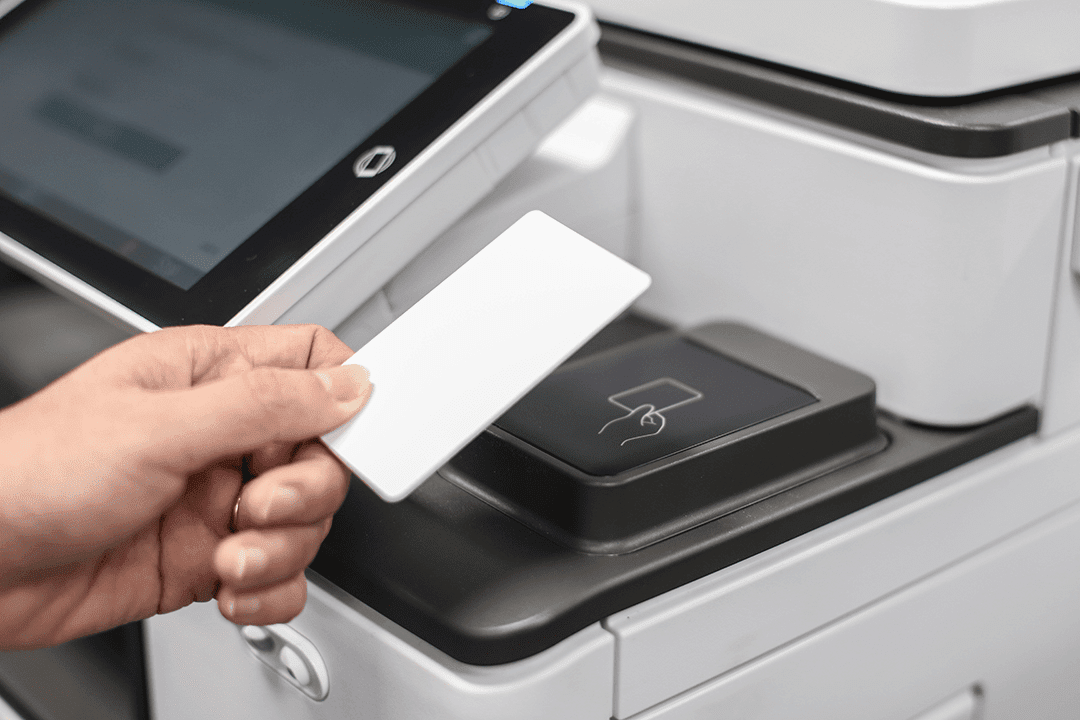
- Retrieve your documents securely at the printer by scanning a QR code with your phone or using NFC technology, similar to mobile payments.
- Methods workspace tenants and visitors can release their documents from the printers or photocopiers:
- PIN code release
- Password login
- Swipe Card
- Utilising entry door fobs
BYOD Printing (Bring your own devices)
The tenants and flexible workers renting your office space will use a range of devices and technology to run their individual businsesses. PaperCut makes it east for them to print from what ever device they bring to your share office space including: Smartphones, Tablets, Laptops, Apple products and Chromebooks to name a few.
Ready to simplify printing in your coworking space?
Let’s chat about how Digital Office Group can transform your printing experience with PaperCut.